How to Play
How it works
The two game types
Casual Match
(guests welcome)
- The table creator sets the starting stack.
- Balances are not saved on the server (chips exist only at the table).
- No sign-in needed. Play right away.
Ranked Match
(signed in with Google)
- Play with the chips you own.
- As well as winning hands, you can top up through the daily bonus and the chip loan.
- Your balance is saved on the server.
- You can hold up to 10,000,000,000 chips.
1. Table settings
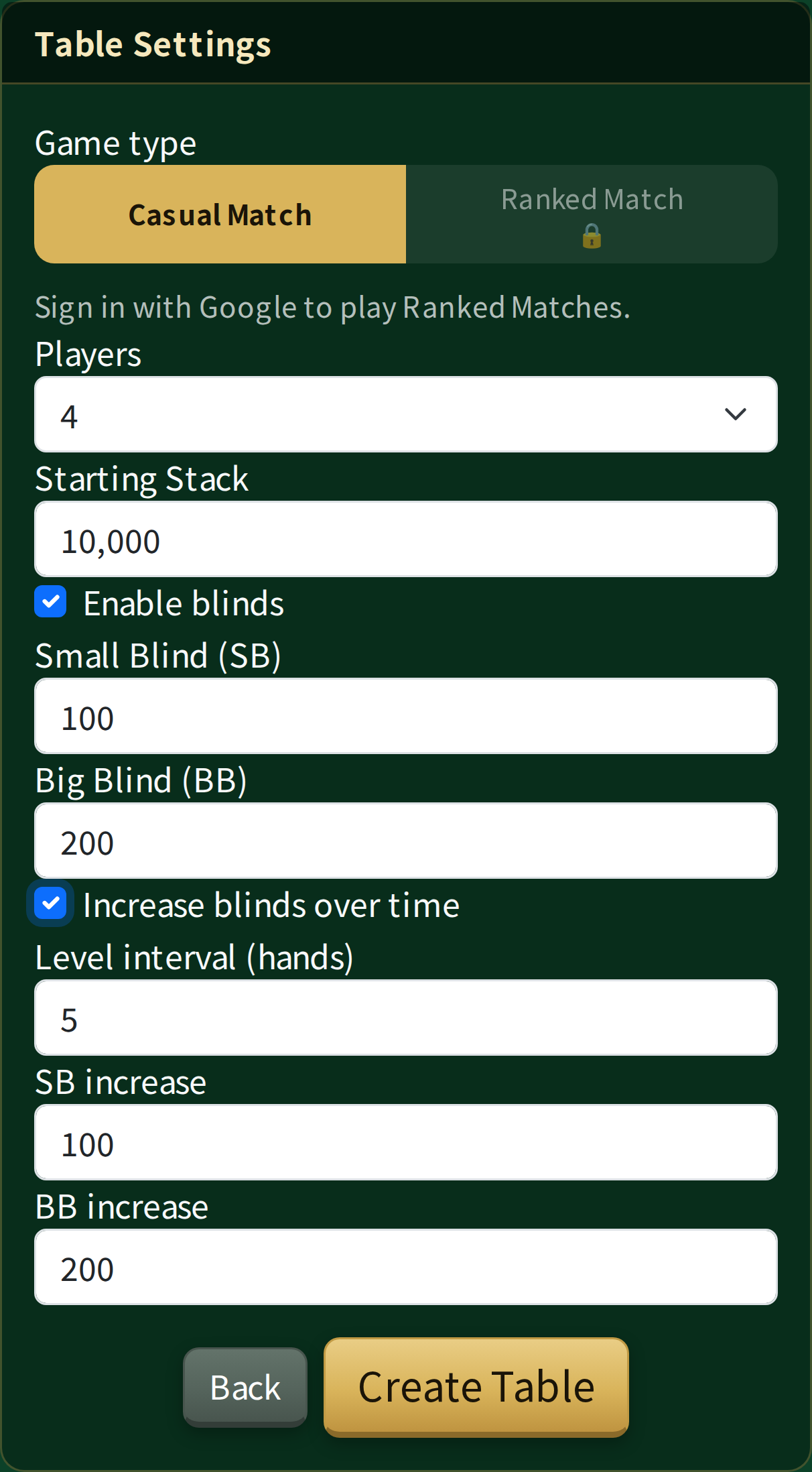
Casual Match (guests welcome)
Set the number of players, the starting stack, the blinds (SB/BB), and how often and by how much the blinds go up, then create the table.
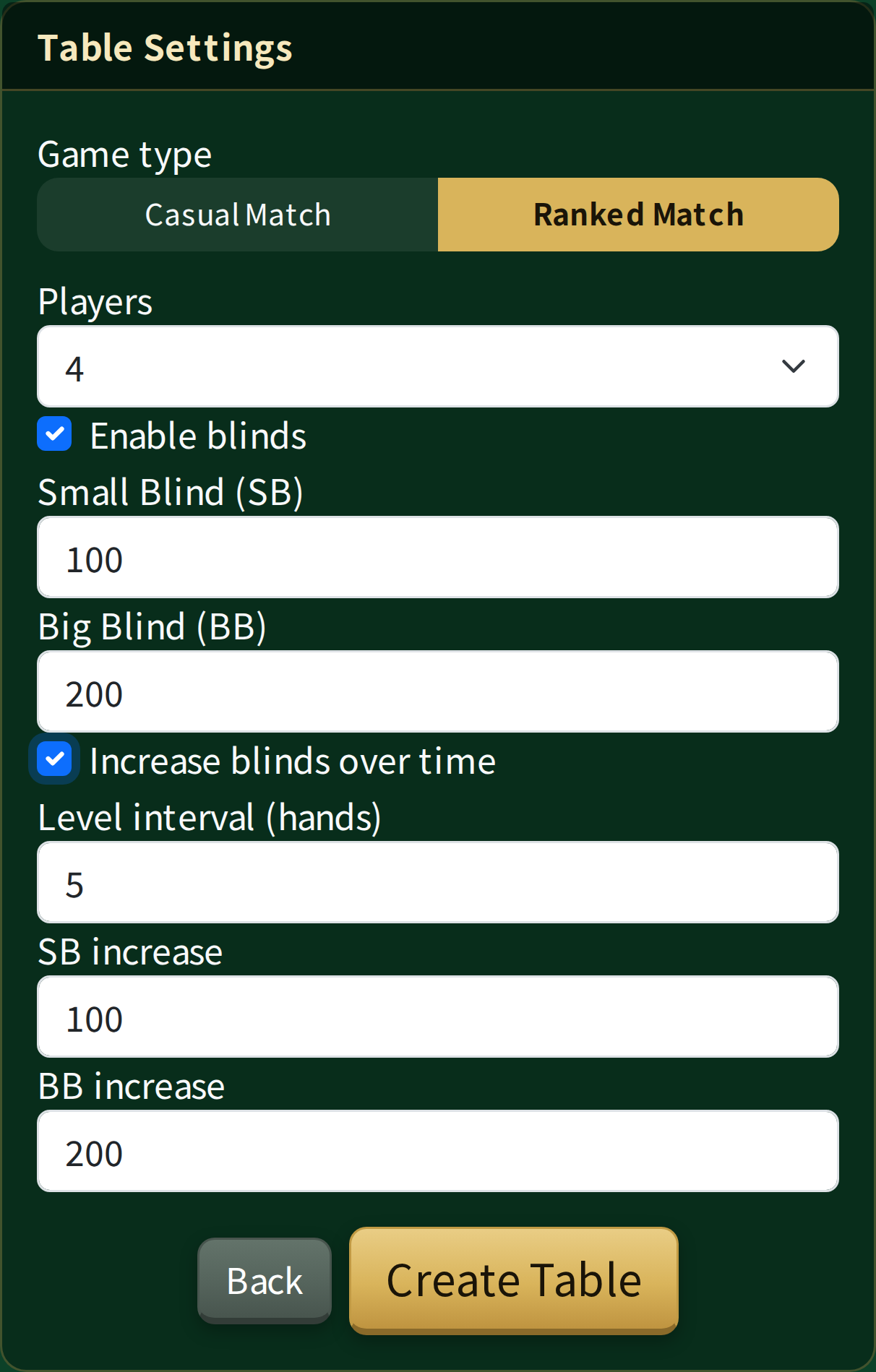
Ranked Match (signed-in users only)
Set the number of players, the SB/BB and the blind increases. Each player brings their own chips as their starting stack.
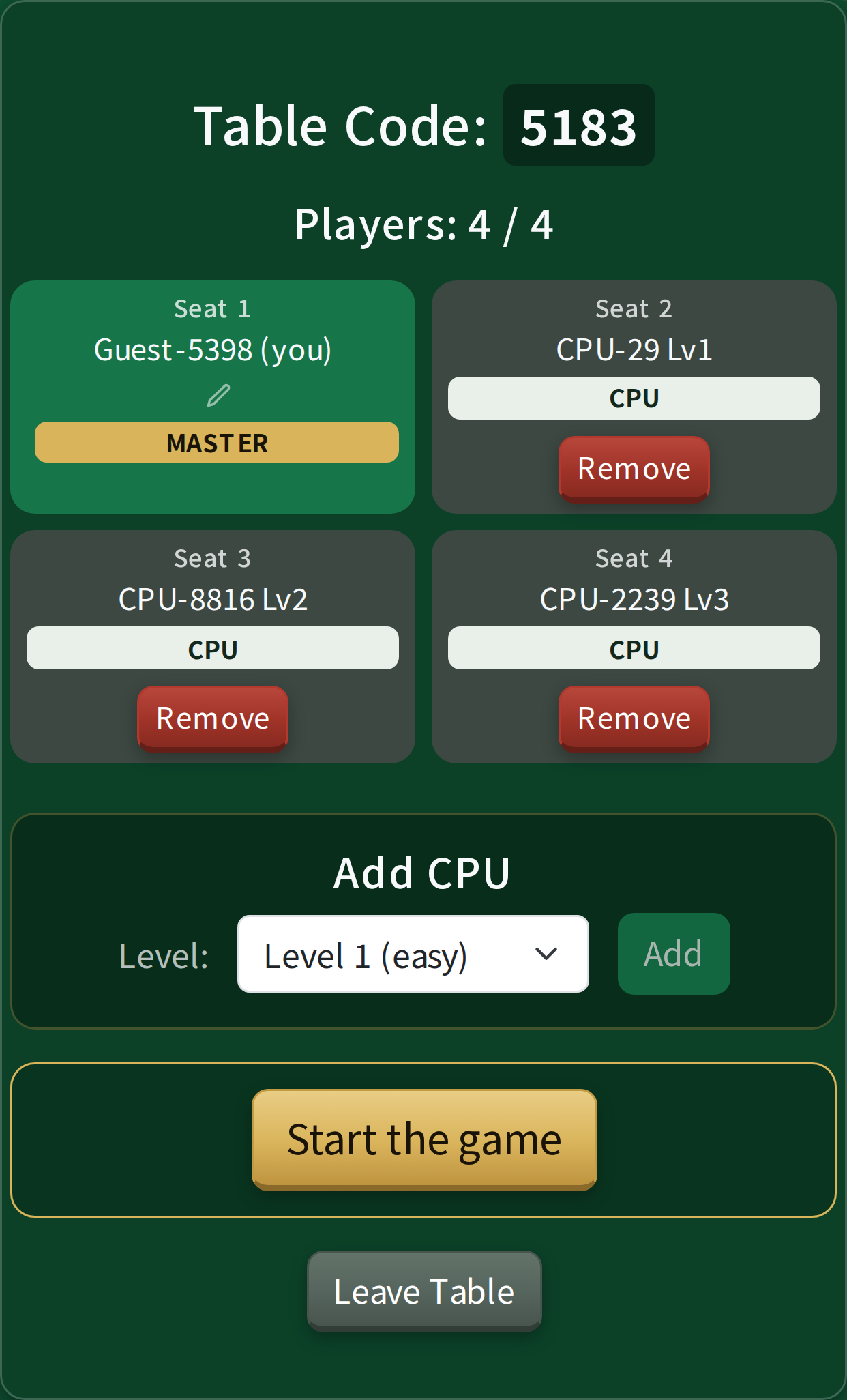
2. Adding players and CPUs
Once the table exists, share the table code with your friends and wait for them to join. You can also add CPU opponents, at three strengths from Lv1 to Lv3 (Lv1 only at tables with 7 or more seats).
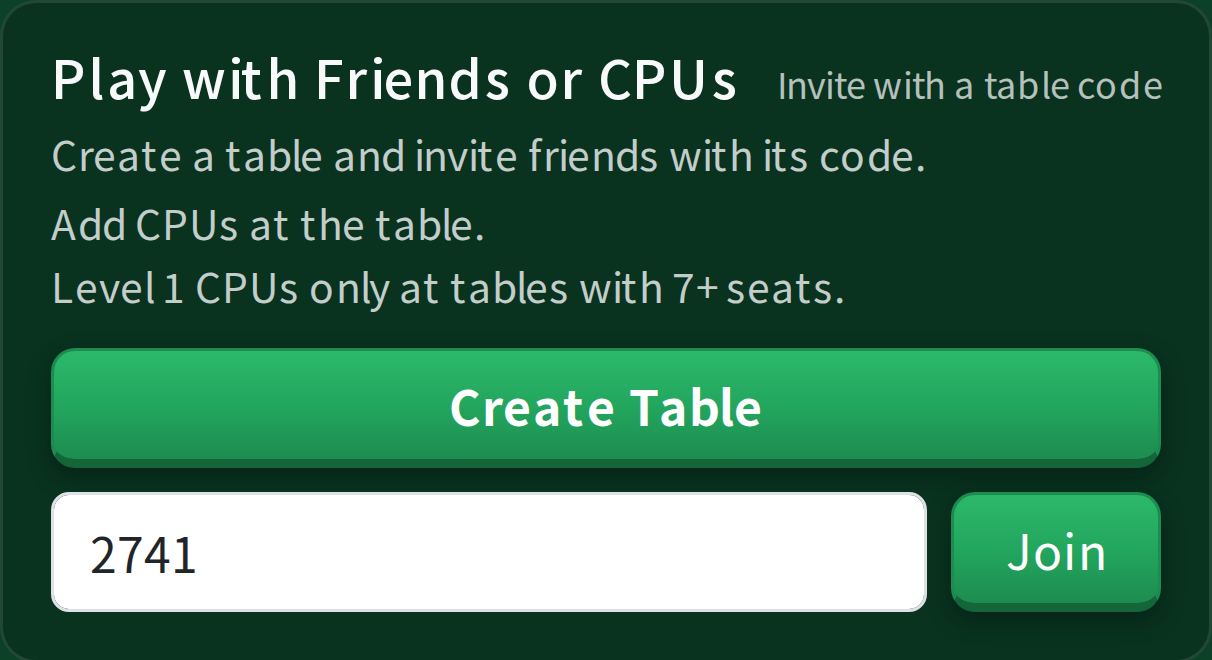
3. Joining with a code
Players enter the table code to join the table their friend created.
4. Playing your hand
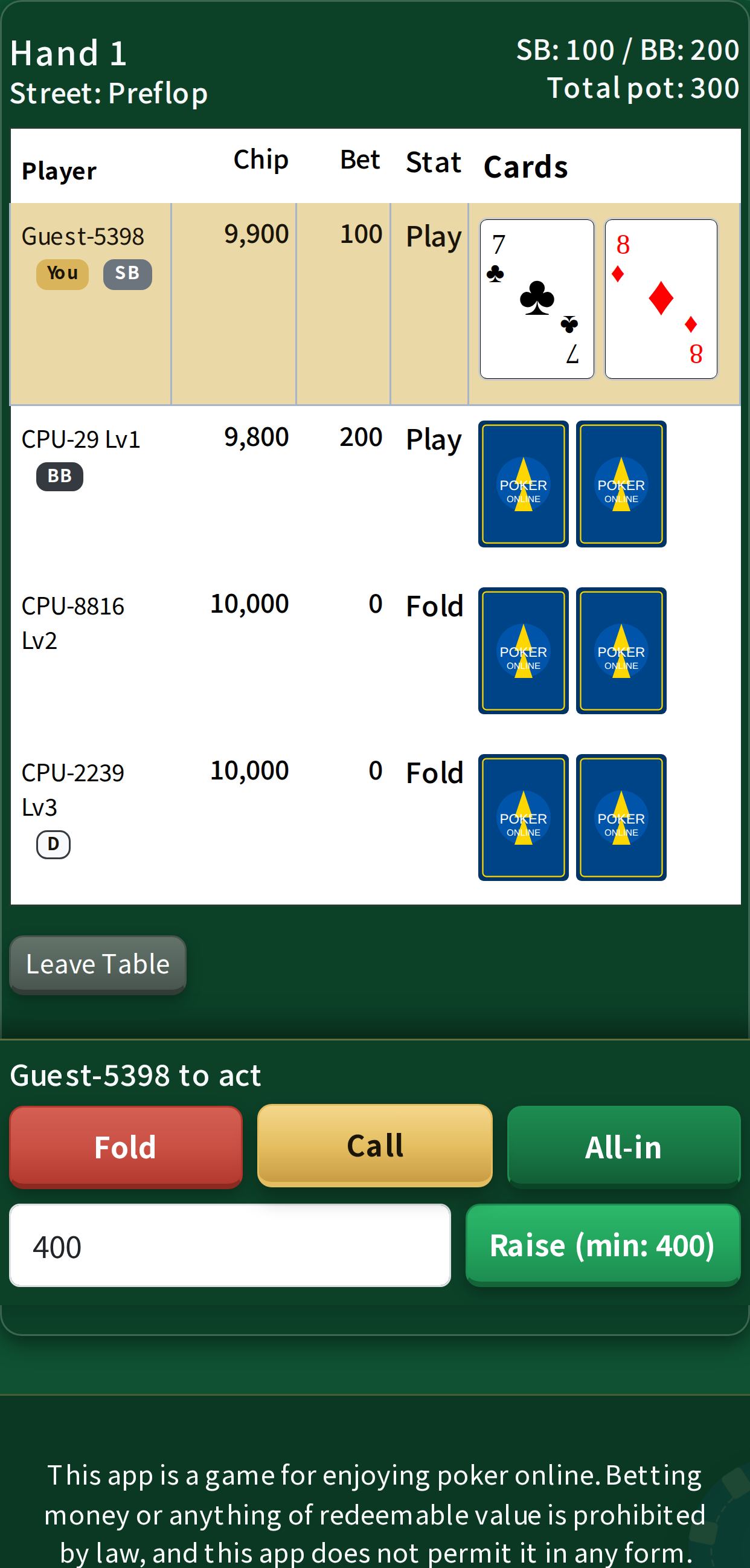
Blinds are posted automatically. When it is your turn, choose Fold / Check / Call / Raise / All-in.
Next to a name, D marks the dealer button, and SB / BB mark the players posting the blinds.
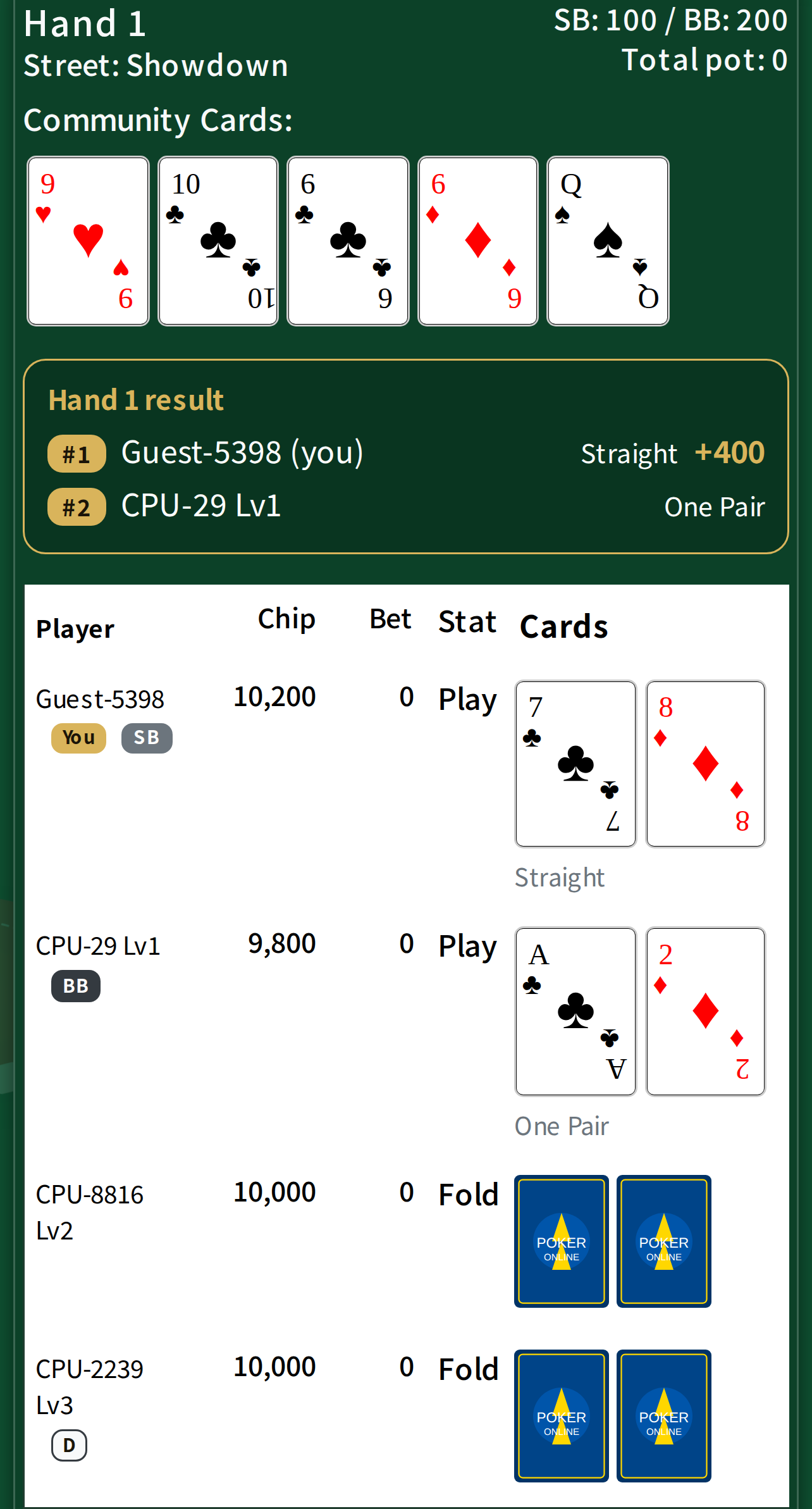
5. Showdown and payout
Everyone still in the hand shows their cards and the winner is decided. Side pots are handled for you.
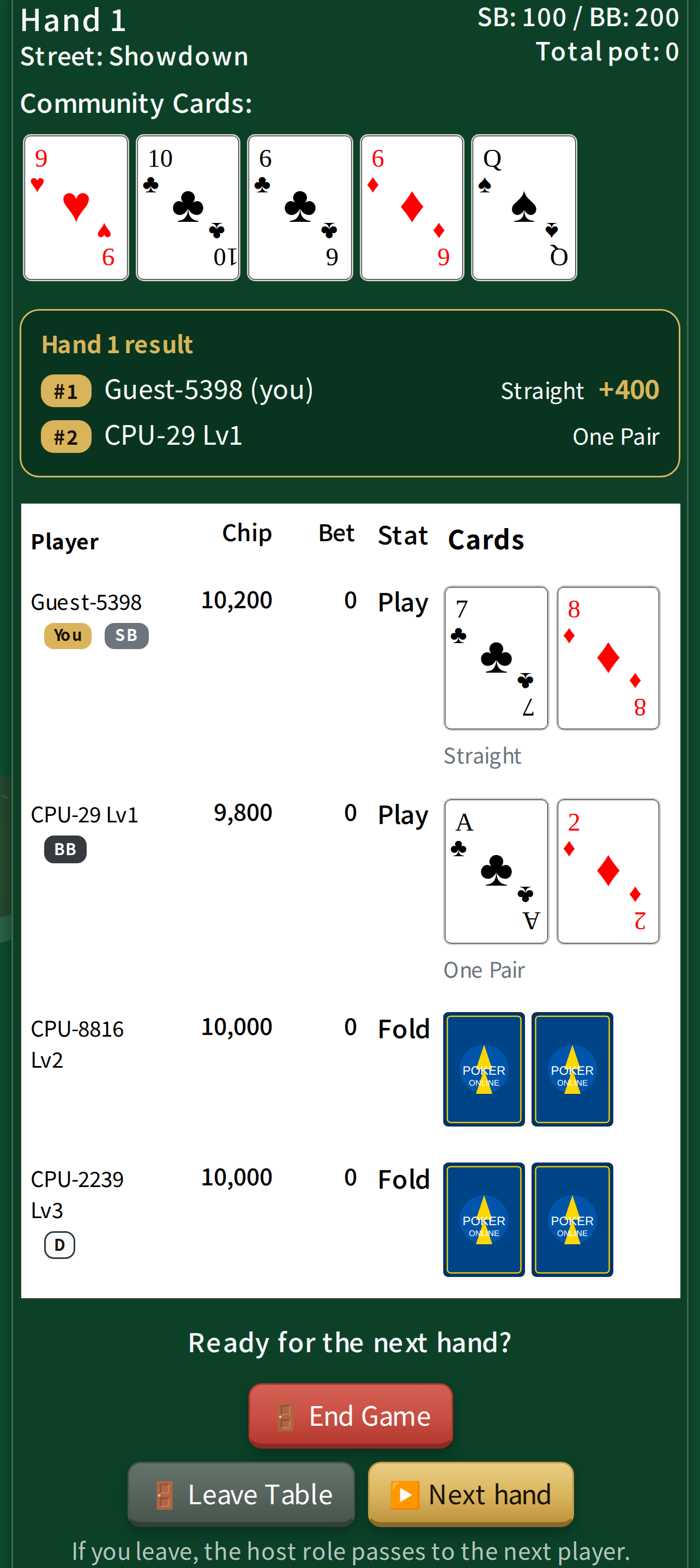
6. Next hand or finish
Each round from the deal to the winner is called a hand. Once the pot has been awarded, the host chooses whether to deal the next hand or end the game.
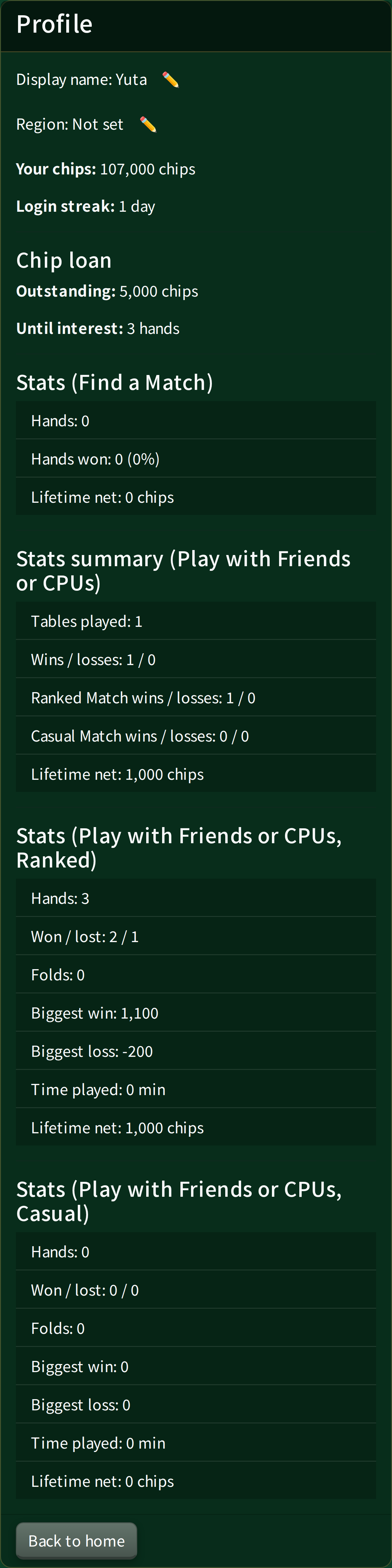
Profile and chip loan (signed in)
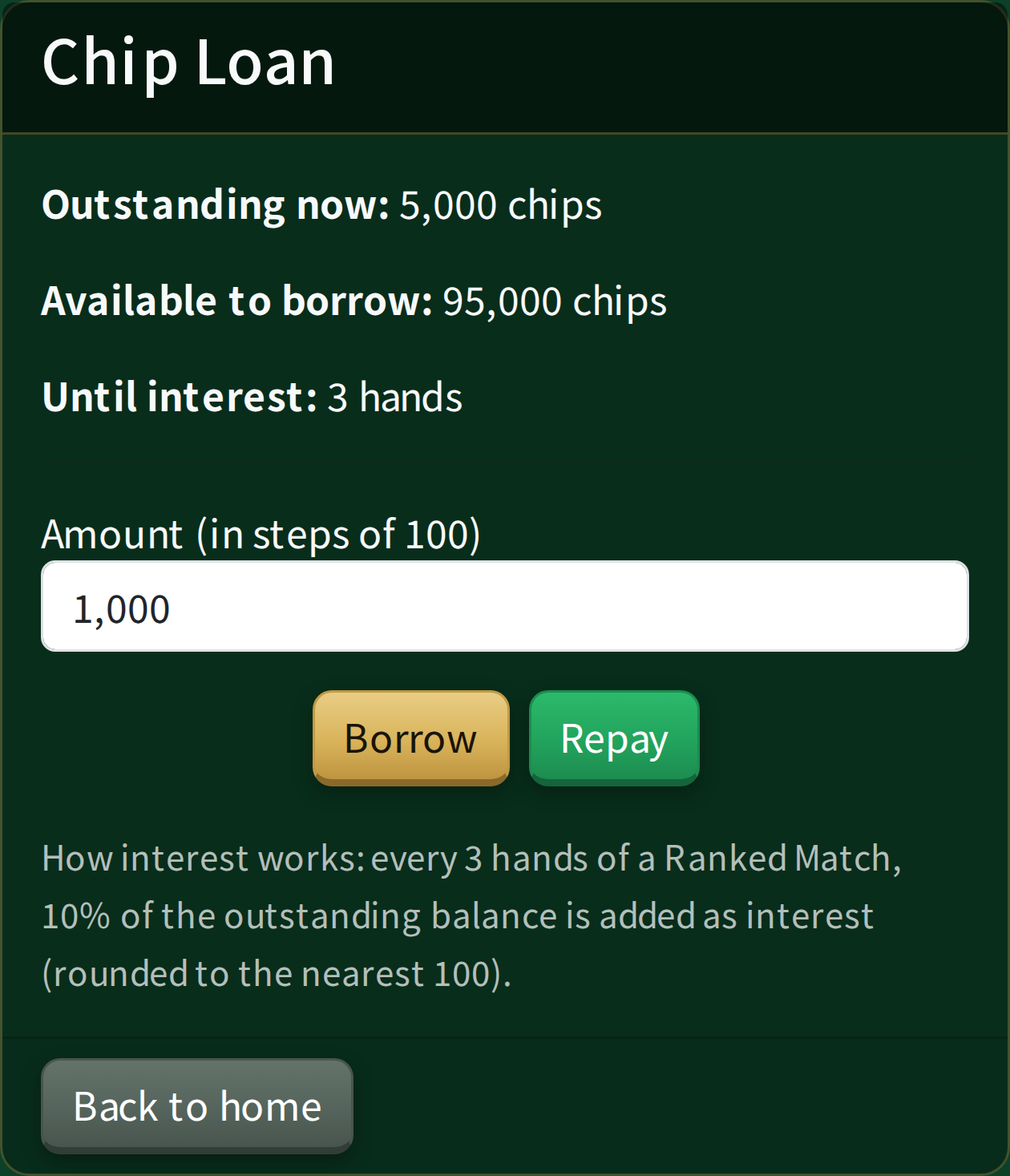
Signing in saves your chips and your stats, and unlocks the chip loan. The loan lends you chips to use in Ranked Matches, with interest added every few hands (it stops once your outstanding loan reaches 300,000).
A related app
If you are playing with real cards, our sister app just for tracking chips may help.
 Poker Chips Manager